
September 20, 2026
Beyond the Full-Time Result: Profiting from 1st Half Goals and xG Trends
Expected Goals (xG); many recreational bettors spend their Saturday afternoons fixated on the final whistle. They track full-time results, late...
10-Match xG Averages; in the world of professional football betting, the shift from subjective analysis to data-driven automation is no longer a luxury: it is a necessity. However, the quality of your automation is strictly limited by the quality of the data powering it. While many casual bettors still rely on “Goals Scored” or “Recent Form” based on win/loss records, professional bettors have moved toward more predictive metrics.
The most powerful of these is Expected Goals (xG). But even xG can be misleading if viewed in isolation or over a sample size that is too small. To build a truly robust automated strategy, you need to look at 10-match xG averages.

This guide will walk you through why this specific metric is the “Goldilocks” of football data and how you can seamlessly integrate these insights from Predictology into BF Bot Manager for fully hands-off, +EV betting.
Football is a game of high variance. A team can dominate a match, create four high-quality chances, and still lose 1-0 to a deflected long-range shot. If your bot only looks at the final score, it will conclude that the losing team is “out of form.”
Expected Goals (xG) strips away the noise of the final result and focuses on the quality of the chances created. However, a single match of xG data is still prone to outliers. A 5-match sample is better, but often reflects a specific run of fixtures (e.g., playing three top-six teams in a row).
10-match xG averages are widely considered the professional standard because:
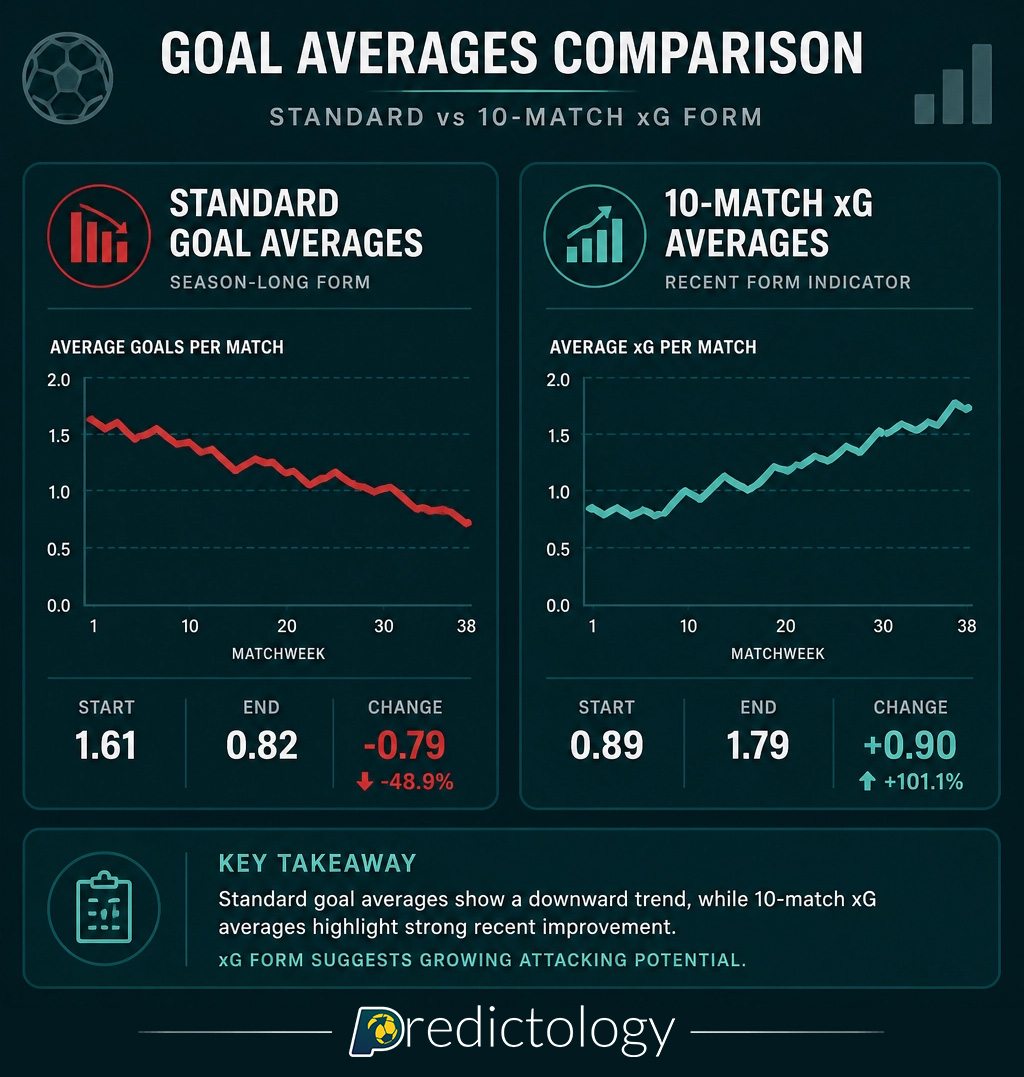
When you automate your betting, you are essentially trading on probability. By using a 10-match xG average, you ensure that your bot is making decisions based on sustained performance levels rather than a “fluke” result. For instance, if a team has an xG average of 1.80 over 10 games but has only actually scored 1.10 goals per game, the math suggests they are due for an “upward regression.” This is where the value lies.
Markets typically overreact to results. If a team wins three games in a row 1-0 despite being outplayed (low xG), their price in the next match will likely be too short. An automated bot using Predictology’s 10-match xG data can identify this overvaluation and automatically place a lay bet or back the opponent, capitalizing on the inevitable regression to the mean.
You cannot find 10-match xG averages on a standard livescore app. To feed an automated bot, you need a structured, reliable data source that has already done the heavy lifting of calculating these averages across thousands of matches.
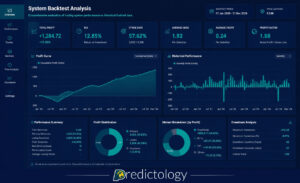
At Predictology, our System Builder allows you to filter and analyze matches based on these specific advanced metrics. Instead of manually checking spreadsheets, you can create a model that says: “Find me every match where the Home Team’s 10-match xG average is at least 0.50 higher than their actual goals scored average.”
The first step in integration is defining your “Value Trigger.” Within the Predictology platform, you can access over 400,000 matches of historical data to test your theories.
For example, you might find that backing the “Over 2.5 Goals” market shows a consistent positive Expected Value (+EV) when both teams have a combined 10-match xG average of 3.20 or higher. Once you have validated this through our backtesting tools, you have the blueprint for your bot.
Once you have your xG-based strategy, the next step is execution. BF Bot Manager (BFBM) is the industry-leading tool for automating Betfair trades, but it needs to know which matches to bet on.
There are two primary ways to bridge the gap between Predictology’s xG data and BFBM:
This is the most straightforward method.
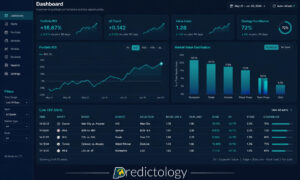
For traders who want 24/7, fully autonomous operation, Predictology data can be piped into bots using custom triggers. By using our Live Value Bet Finder, the bot can constantly scan upcoming fixtures and execute trades as soon as the xG criteria are met and the market price offers value.

Automation is more than just picking the right team based on xG. To be profitable long-term, your bot needs to handle the “how” and “when” of the bet.
When integrating 10-match xG averages, consider these three advanced logic layers:
Even a team with a massive xG advantage isn’t a good bet if the price is too low. Your bot should be set to only execute the trade if the Betfair Exchange price is greater than the “Fair Price” calculated by your xG model. If your model says a team should be 2.00 based on their 10-match xG, but the market is offering 2.10, your bot has found +EV.
You can combine pre-match xG averages with live data. For example, you could set a trigger in BF Bot Manager that says: “Only back the Home Team if their 10-match xG average is > 1.5 AND the Live Pressure Index shows they have had at least 3 dangerous attacks in the last 10 minutes.”
Automation allows for disciplined staking that humans often struggle with. You can program BFBM to use Kelly Criterion staking or a fixed-percentage bankroll approach based on the “Edge” your 10-match xG model has identified.

If you are ready to stop guessing and start automating with 10-match xG averages, follow this simple checklist:
The move from “betting” to “algorithmic trading” starts with the data. By integrating the depth of Predictology’s xG analytics with the execution power of BF Bot Manager, you are no longer gambling against the bookie: you are trading a statistically proven edge.
Ready to build your first data-driven bot? Explore our full suite of analytics tools and start turning xG averages into a professional betting portfolio today.
September 20, 2026
Expected Goals (xG); many recreational bettors spend their Saturday afternoons fixated on the final whistle. They track full-time results, late...
September 20, 2026
In the world of football betting, 2026 marks a significant turning point. Just a few years ago, Expected Goals (xG)...
September 20, 2026
Expected Value (+EV) For the majority of football bettors, the live market is a whirlwind of emotion, reaction, and guesswork....
September 20, 2026
System Builder; for most football bettors, the journey starts with a gut feeling. You see a home team with a...
September 20, 2026
Analytics; to move from a casual punter to a professional bettor, you must transition from making “picks” to executing a...
September 20, 2026
Expected Goals (xG); many recreational bettors spend their Saturday afternoons fixated on the final whistle. They track full-time results, late...
September 20, 2026
In the world of football betting, 2026 marks a significant turning point. Just a few years ago, Expected Goals (xG)...
September 20, 2026
Expected Value (+EV) For the majority of football bettors, the live market is a whirlwind of emotion, reaction, and guesswork....
September 20, 2026
System Builder; for most football bettors, the journey starts with a gut feeling. You see a home team with a...
September 20, 2026
Analytics; to move from a casual punter to a professional bettor, you must transition from making “picks” to executing a...
Join the Discussion
We respect your privacy — your email won’t be shown. Fields marked * are required.